Organized Blogger
From Digital Chaos to a Streamlined Content System in One Afternoon

You didn’t start your blog so you could spend hours digging through files, chasing down images, or rewriting posts you know you already drafted somewhere.
But here you are…
- Drafts scattered in Google Docs, on your desktop, or hiding in email threads.
- Images sitting in a downloads folder named things like IMG_3294.jpg.
- Notes, links, and resources spread across sticky notes, apps, and old PDFs.
- Blog ideas jotted down on random pieces of paper that you can never find when you need them.
Every blog post feels like starting from scratch. Instead of creating, you’re wasting time searching. Instead of publishing, you’re scrambling. Instead of feeling in control, you’re stuck in chaos.
And that chaos? It’s not just frustrating — it’s holding back your growth.
What If Blogging Could Feel Easy Again?
Imagine sitting down at your desk, opening one folder, and instantly seeing everything you need for your post: Your draft. Your images. Your graphics. Your notes.
No more searching. No more guessing. No more “Where did I put that?”
You follow your step-by-step roadmap, publish with confidence, and check off your promotion workflow in minutes.
That’s the transformation waiting for you inside Organized Blogger.

What We’ll Do Together
In this Lunch & Learn, I’ll help you set up a simple, repeatable system that takes you from scattered to streamlined. You’ll learn how to:
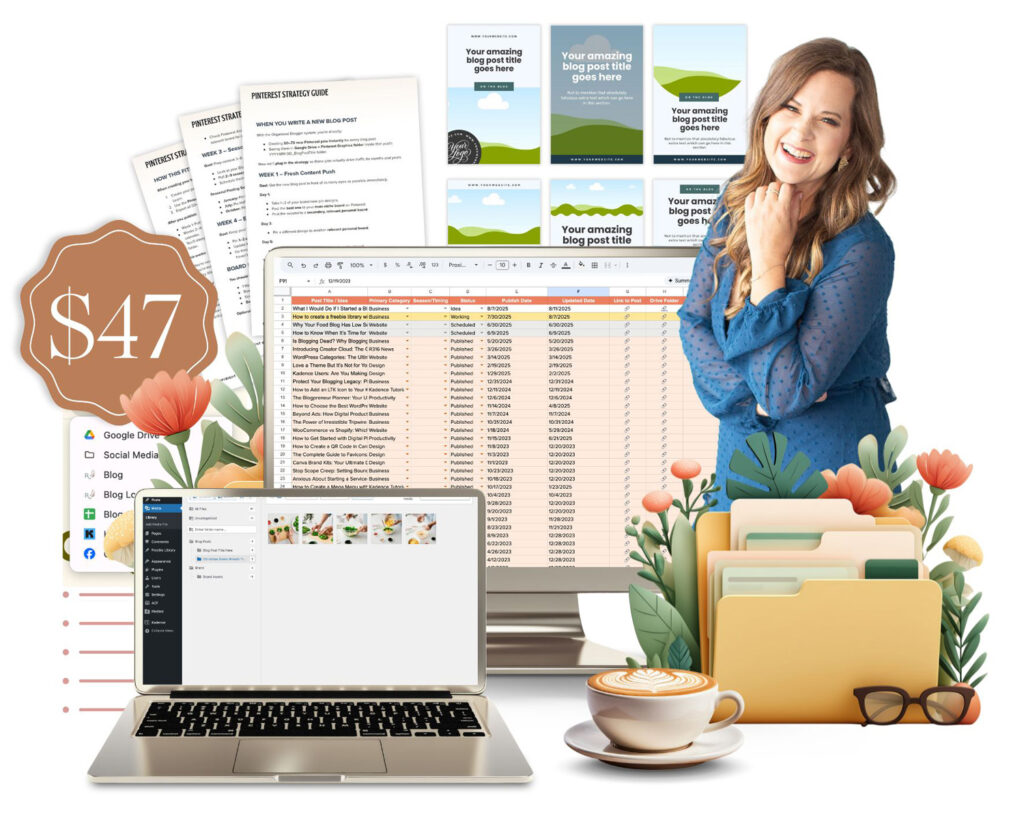
- Build your Blogger Command Center so every draft, graphic, and file has a permanent home.
- Create a reusable Canva template system so your Pinterest and social graphics are branded, consistent, and easy to find.
- Organize and optimize your images the smart way — no more giant files or endless scrolling.
- Follow a blog post roadmap that takes you from draft → polished post → published in WordPress.
- Check off your post-publish workflow to make sure every post gets promoted on Pinterest, shared on social, added to your email, and indexed on Google.

This isn’t about pretty folders. It’s about building a system that makes your blogging life lighter, faster, and stress-free.
From Overwhelmed Blogger → Organized Creator
By the end of this Lunch & Learn, you’ll go from:
Your Shortcut to Dozens of Scroll-Stopping Pins
Without the Design Stress
When it comes to Pinterest graphics, most bloggers don’t have a real plan. They piece together designs one at a time, struggle to stay consistent, and end up wasting hours creating graphics that don’t always represent their brand well.
- Go from creating graphics one at a time → to producing 50+ pins in just a few clicks.
- Go from random designs that feel off-brand → to scroll-stopping graphics that look polished and professional.
- Go from spending hours reinventing the wheel → to a system that gives you dozens of Pinterest graphics in minutes.
- Go from feeling overwhelmed by design → to having a ready-made library crafted by a professional designer, tailored for bloggers.

This template file is something I would normally sell for $79 on its own — but when you join Organized Blogger, you’ll get it included for free inside your $47 Lunch & Learn.
That means you’re getting a professional Pinterest graphics system worth more than double the cost of this entire workshop… included at no extra charge. #winning
Why One Afternoon Can Change Everything
Most bloggers think they’ll “get organized someday.”
But the truth is, the longer you wait, the more scattered everything becomes — and the harder it feels to get back on track.
In just one afternoon, you’ll have a complete system in place that not only helps with your next blog post, but also gives you a framework to gradually bring all your old content into order.
This isn’t just a Lunch & Learn. It’s a turning point.
What Our Students had to say…
I have been blogging since 2009. Things have changed significantly and I stepped away for over 5 years. Coming back, I felt overwhelmed and couldn’t get a good method mapped out to start putting posts into my new blog. This course was SO helpful and enabled me to feel comfortable with Google Docs, ChatGPT, and Canva. I would not have been able to launch my blog without this course.
I highly recommend this to anyone that wants to bring organization to their chaos. It works. And the move you go through the steps, the more comfortable you become. Having the course to go back and reference has also been a game changer. Whenever I have a question, I simply go back and review.
It took me a while but I have learned Restored 316 is a ‘one stop shop’! I stopped purchasing bundles and other courses which has worked so much better for me. Everything in one place with SUPERIOR customer service.
Thank you Lauren & Lani!
Bev
My naturally organized brain was hesitant to purchase this program, but I was confident I would learn something new based on other program’s I’ve purchased from Lauren. I was NOT disappointed! The Organized Blogger showed me shortcuts I wasn’t aware of in Canva as well as on my computer, and once I merged the info with my existing system I created a much smoother process. Thank you, Lauren, for making my life so much easier!
Kelly
Before taking the Organized Blogger Course, I had so many duplicate images and files in different places that things felt a little all over the place. One of my favorite parts was discovering easier ways to organize my daily programs and files, plus picking up a few time-saving tricks in Canva. I love that you can start making changes right away and see the difference immediately, then work through the rest at your own pace. This course is packed with practical tips and simple systems that work no matter how you’re currently set up.
Cheryl
I loved the Organized Blogger Workshop! It had much more than I thought it would. Learning all about how to have a folder in Canva and Drive to duplicate will really make things easier for me in the future. Also, learning to organize my Media Library and how to make all those pins fast made me so excited to jump back into blogging again. There were so many little tips and tricks that I didn’t know about. Thanks again!
Melinda
A really helpful guide for the blogger, as I am starting my new blog I hope to get organized from the beginning and establish a work flow that is easy to use. My old blog has about 400 posts and its almost impossible to find anything. Now I am set up for success!!
Kicki
Thanks! I’ve became an accidental blogger in 2008 and never put any systems in place. As you can imagine, things are a mess. I’m better today but I really wish I would have had this information when I was just starting out.
Kristie
This course is 100% information, no filler. It’s basically a method of organizing and streamlining a sustainable system for blogging efficiently, with useful record keeping and file sorting. It was a little over my head as a beginner, but I still found it to be valuable. It showed me what a good working system looks like, and there were plenty of tips I can implement immediately!
Courtney
I am one that plans to plan, but am not that organized. I’m so glad I took this course! Starting out the new year with a fairly new blog will help me get going on the right foot, and correct some of my old mistakes without being too overwhelmed! Thank you!
Jennifer
I recently took this lunch and learn course to become a more organized blogger, and it truly exceeded my expectations. I’ve always been a pen-and-paper kind of person, so stepping into digital organization felt overwhelming at first—but this course completely changed that for me.
I now feel confident and comfortable using tools like Google Drive and Canva, and having everything organized in one place has been absolutely life-changing. I’m no longer scrambling to find files or figure out what I should be working on next.
The system was simple, easy to implement, and made an immediate difference in my workflow. Instead of wasting time searching for things, I can now focus on what I love most—creating content. I highly recommend this lunch & learn to any blogger who feels overwhelmed or disorganized. It’s a game changer!
Haylli
FAQ’s
Join Organized Blogger
One afternoon. One system. A lifetime of smoother, faster, stress-free blogging.
$47